The CBSE will announce the CTET 2025 results nationwide. After the results are declared, candidates can access their CTET mark sheet and certificate. The exam dates for CTET 2025 are yet to be released. Only candidates who clear the exam will receive the CTET certificate, which will be made available on the DigiLocker platform. Candidates can download it using the login details provided by CBSE on their registered mobile numbers.
The CTET certificate is valid for seven years from the date of result declaration for all categories. This year, all candidates must download their certificate from DigiLocker, as CBSE will not send it by post. Students need to install the DigiLocker app to view and download their results. Follow the instructions below to successfully download the CTET 2025 certificate.
To download your DigiLocker CTET certificate, use the DigiLocker app to access your digital credentials. First, ensure the DigiLocker app is installed on your device. Log in using your mobile number or Aadhaar details. Go to the ‘Documents’ section, where you can find and select your CTET certificate. Follow the prompts to verify your identity if necessary. Once verified, you can view and download your DigiLocker CTET certificate directly to your device. This digital method offers a convenient way to manage and access your certification records.
Follow these steps to download your certificate via the DigiLocker App –
Step 1: To start, download the DigiLocker app from the Google Play Store for Android devices or the Apple App Store for iOS devices. Alternatively, you can visit the DigiLocker website directly. Make sure you have a stable internet connection during the download. After installation or accessing the website, create an account or log in with your credentials. This will allow you to easily manage and access your digital documents, including the DigiLocker CTET certificate download, from your smartphone, tablet, or computer. This step is crucial for downloading your certificate.
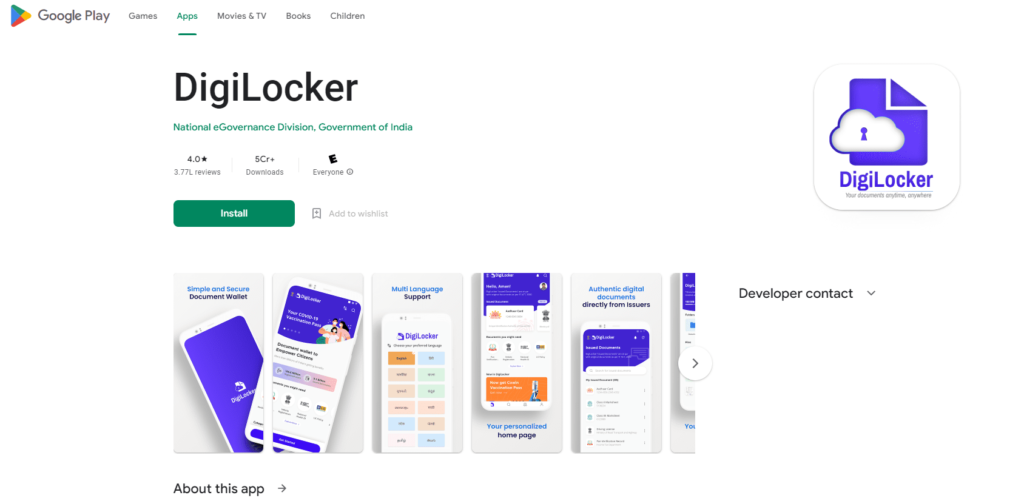
Step 2: After downloading the DigiLocker app, open it and click on the sign-in option. You can sign in using either your mobile number or Aadhaar card. Once you choose your preferred sign-in method, you will receive an SMS with a verification code. Enter the code into the app to complete the sign-in process. Be sure to check your SMS for the code and enter it correctly. Once signed in, you’ll be able to access your DigiLocker account and proceed with viewing and managing your documents, including the DigiLocker CTET certificate download.
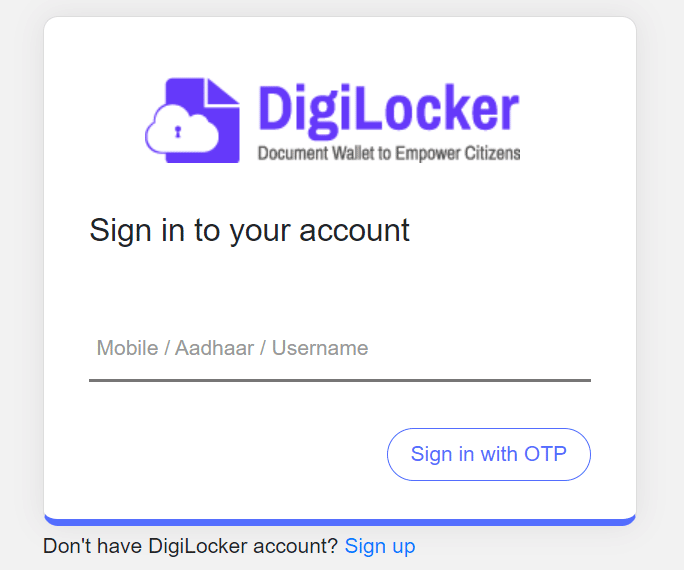
If you are new to DigiLocker, start by entering your registered mobile number and verify it using the OTP sent to you. Next, you need to create a security PIN. To do this, enter your date of birth in the DDMMYY format. For instance, if your date of birth is November 16, 1997, you would enter ‘161197’ as your security PIN. This PIN will help secure your account and allow you to access your documents safely. Following these steps will set up your DigiLocker account for managing your certificates and other important documents.
If you are unable to sign in using your mobile number, you can use your Aadhaar Card Number as an alternative. If you continue to encounter difficulties, it’s important to seek help promptly. In such cases, draft an email to support@digitallocker.gov.in for assistance. Provide details of the issue you’re facing and any relevant information to help resolve the problem efficiently. The support team will assist you with the necessary steps to regain access or resolve any other issues related to your DigiLocker account. This ensures you can successfully manage your documents and certifications without further delays.
Step 3: Once you have successfully logged into your DigiLocker account, navigate to the ‘Issued Documents’ section. From there, select ‘Central Board of Secondary Education’ from the list of issuing authorities. This will allow you to access documents issued by CBSE, including your CTET certificate. Ensure you follow these steps carefully to find and manage your CBSE-related documents effectively. If you encounter any issues, refer to DigiLocker’s support resources for assistance. This process helps you efficiently locate and handle your certification and other important documents issued by the Central Board of Secondary Education.
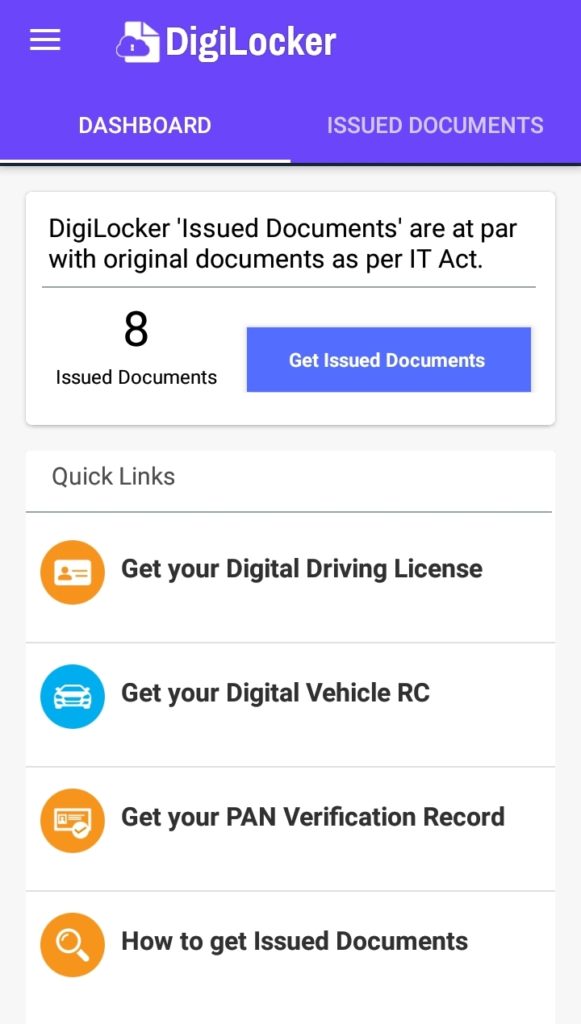
Step 4: Finally, enter your roll number in the designated field to locate your CTET certificate. Once you have input your roll number, you will be able to view your CTET certificate. To download it, simply click on the download option provided. This will save a copy of your certificate to your device for future reference. Ensure that you keep this digital copy safe, as it will be useful for any future verification or documentation needs. Following these steps will help you easily access and store your CTET certificate whenever required.
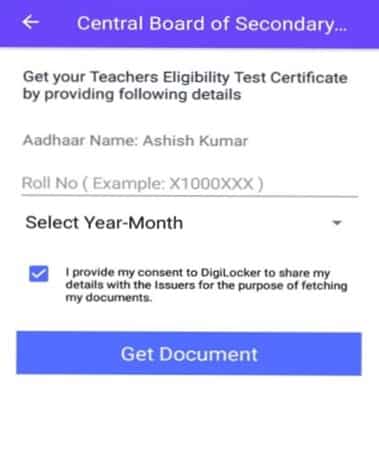
After the CTET results are announced by CBSE, all candidates will get their mark sheets and eligibility certificates in digital format on their DigiLocker accounts. Candidates can download these documents using their login credentials.
Click here for the direct link.

If candidates are unable to log in to DigiLocker, they should email support@digitallocker.gov.in and include their registered mobile number and CTET Roll Number. Alternatively, candidates can access their certificate on DigiLocker using their Aadhaar Card Number if they do not receive login details from CBSE or cannot access their registered mobile number.
The admit card is one of the most important documents to carry to the examination center, so it should be carefully checked before the exam day. Before downloading the CTET certificate from DigiLocker, keep the following points in mind:
If candidates notice any errors on their admit card, they should report them to the concerned authorities, who will usually resolve the issue.
Before the exam, candidates should ensure:
Any discrepancies should be immediately reported to the authorities. Candidates can contact CBSE through their official website or the helpline listed there.
Along with the results, CBSE has released the CTET 2025 Certificate. The CTET mark sheet will be issued to candidates who successfully pass the exam. Once cleared, candidates will receive a certificate, which is now valid for a lifetime following the latest updates.
CBSE issues the CTET certificate along with the exam results. The CTET is a national-level exam, attracting candidates from across India who wish to become eligible for teaching positions in government schools. The CTET certificate serves as proof of a candidate’s eligibility and is valid for life across all states in India. However, simply holding the certificate does not guarantee a teaching appointment. Candidates must still complete all stages of the selection process for the specific institution they are applying to.
If you lose your CTET certificate, you can apply for a duplicate certificate. To obtain it, you need to submit an application along with a Demand Draft (DD) made in favor of the Secretary, Central Board of Secondary Education, payable at Delhi.
The fee for issuing a duplicate CTET certificate is as follows:
| Fee Particulars | Fee |
|---|---|
| CTET duplicate mark sheet / eligibility certificate fee | Rs 500 |
| Verification fee per document (except cases from Government Departments) | Rs 500 |
The CTET Certificate, which was previously valid for only 7 years, has now been revised to be valid for a lifetime. This change was implemented by the education ministry starting in June 2021. The updated policy means that once you obtain your CTET Certificate, it remains valid indefinitely, eliminating the need for renewal or requalification after a certain period. This significant update provides long-term recognition of your teaching eligibility and simplifies the credentialing process for educators. The shift to lifetime validity underscores the enduring value of the CTET certification in the field of education.
This recent change is advantageous for both candidates and the education ministry. Candidates benefit by not having to retake the examination after seven years, which reduces their stress and financial burden. For the education ministry, the shift to lifetime validity means fewer applicants will need to apply for re-certification, leading to a more efficient use of resources. This reduction in the number of repeat examinations helps streamline administrative processes and reduces operational costs. Overall, the new policy simplifies the certification process, enhances long-term recognition for educators, and optimizes resource management within the education system.
The Central Teacher Eligibility Test (CTET) certificate is a key qualification for aspiring teachers in India, validating their eligibility to teach in government schools. Conducted by the CBSE, the CTET ensures that candidates meet the required teaching standards. With this certification, teachers can apply for jobs in central government schools like KVS and NVS, as well as state and private schools, enhancing their career prospects. It provides national recognition, opening doors to numerous teaching positions. Beyond job opportunities, earning the CTET certificate supports personal and professional growth, enabling teachers to contribute meaningfully to education. By preparing diligently, teachers can positively impact students’ lives and shape future generations through quality education.
The Central Teacher Eligibility Test (CTET) is vital for aspiring teachers in India, as it ensures a standardized level of teaching quality and is a mandatory requirement for positions in central government schools like Kendriya Vidyalayas and Navodaya Vidyalayas. The certification enhances job prospects and validates a teacher’s skills and knowledge, boosting professional credibility. Key benefits include increased career advancement opportunities, personal growth, and the ability to make a positive impact on students’ lives and the overall education system. Aspiring teachers are encouraged to pursue CTET certification to unlock numerous opportunities and contribute meaningfully to shaping the future of education in India. This commitment to quality education is essential for fostering a successful learning environment.
Recommended Read:
Ans. CBSE conducts the Central Teachers Eligibility Test (CTET) every year for budding aspirants willing to enter the teaching profession. Furthermore, passing CTET with good grades will earn you a certificate that will be valid for a lifetime. Hence, after you successfully pass the test, you can download the certificate of CTET through the DigiLocker app using your mobile number/Aadhar card number and roll number.
Ans. Follow these steps to download your CTET mark sheet in DigiLocker: Sign in to your DigiLocker account by entering your username and password. However, if you are new to the app, enter your mobile number and verify it with the OTP. Enter your Aadhar card details. Now the dashboard will appear in front of you. Next, go to documents and click on ‘CTET mark sheet’. Lastly, download your CTET mark sheet and save it for future preference.
Ans. Previously, the CTET certificate was valid for 7 years. However, starting from June 2021, the validity period has been extended to a lifetime. This means that once you receive your CTET certificate, it remains valid indefinitely without the need for renewal or requalification. This significant change simplifies the certification process for candidates and ensures long-term recognition of their qualifications.
Ans. Yes, the CTET results were officially announced by CBSE on March 9, 2022. Candidates can now download their certificates through the DigiLocker app. To access the certificate, simply login to your DigiLocker account and locate the CTET section to retrieve and save your document. This digital process provides a convenient and secure way for candidates to obtain their CTET certificates and keep their records up to date.
Ans. Many government institutions require a CTET certificate for teacher recruitment. Therefore, having qualified for the CTET opens up significant opportunities for securing a government teaching position. This certification is often a crucial criterion for employment in government schools, making it an essential qualification for those seeking to advance their careers in education. Successfully obtaining a CTET certificate not only enhances your eligibility but also increases your chances of being hired for teaching roles within various government institutions.
Ans. All those candidates who have appeared in the exam can download the CTET marks by visiting the official website. However, through the Digilocker app, you can easily download the CTET result/marksheet and scorecard after providing your login credentials.