How to make Resume? To create a resume, first collect all your related career information, including job experience, education, and skills. Then you’ll want to choose a resume format (chronological, functional, or combination), and then customize it to the job description as much as possible. Include a professional summary or objective, then include your work experience and education, and then include your most relevant skills. Lastly, proofread!
Creating a resume is a crucial step in learning how to make resume that can land your dream job. It gives potential employers the first impression of you, showcasing your qualifications, skills, and professional experience. Whether a fresher or an experienced professional, a well-structured resume can significantly improve your chances of getting hired.
In this guide, we’ll walk you through crafting the perfect resume and specific examples tailored to freshers, teachers, engineers, and more.
Creating a perfect resume involves choosing the correct format, writing a captivating summary, and presenting your qualifications in a structured way. Ensuring that your resume stands out and is tailored to the job you are applying for is crucial.
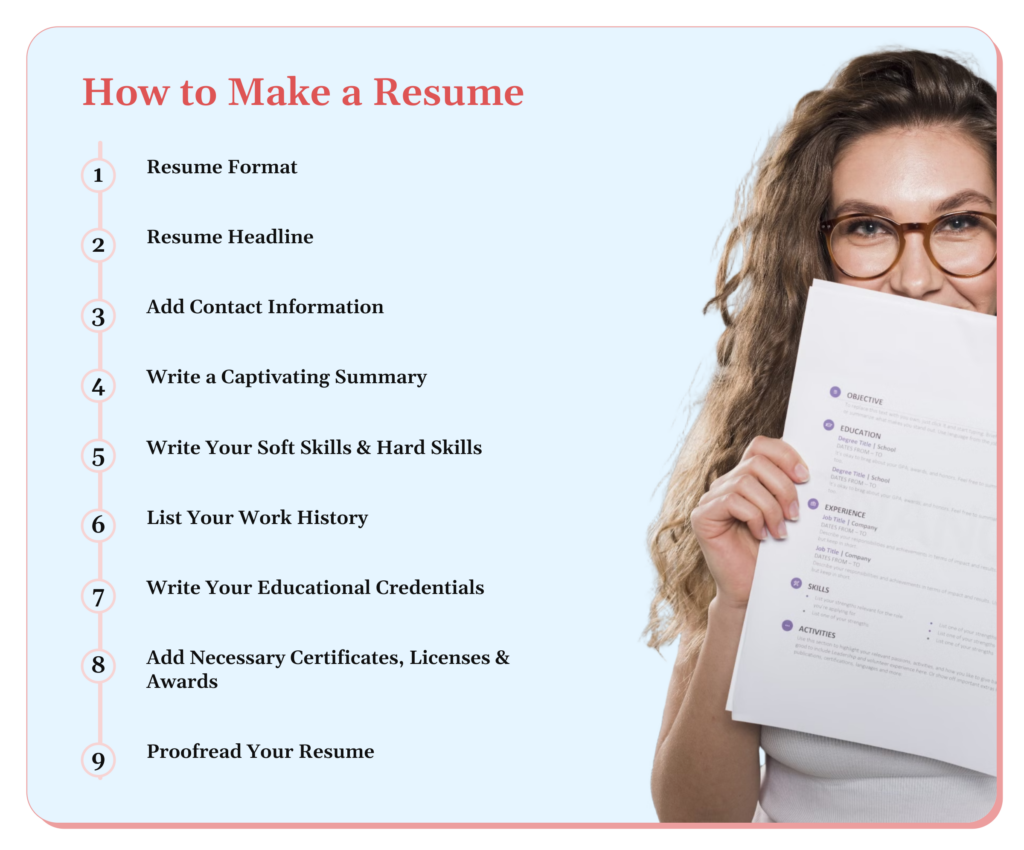
Selecting the proper resume format depends on your experience. A functional format emphasising skills is ideal for freshers or those with little work history. Experienced professionals may opt for a chronological format to highlight career growth, while a combination format works well for those switching industries or job roles.
Your resume headline should summarize who you are professionally in one impactful sentence. It could be your current job title or a career aspiration like “Motivated Marketing Specialist” or “Aspiring Data Analyst.” A well-crafted headline sets the tone for your resume and grabs the recruiter’s attention.
Contact information is critical and should be at the top of your resume. Include your full name, phone number, professional email, and a LinkedIn profile or portfolio link, optionally. Ensure this section is error-free, as it’s the main point of communication for prospective employers.
Your resume summary is your elevator pitch. In two to three sentences, highlight your most relevant skills, experiences, and what makes you the best fit for the job. Ensure you use keywords from the job description to make your resume ATS (Applicant Tracking System) friendly, increasing your chances of being shortlisted. For example: “Proactive marketing graduate with experience in digital campaigns, seeking to leverage content creation and data analysis skills in a marketing coordinator role.”
When listing skills, include hard skills (technical abilities like software proficiency) and soft skills (teamwork or communication). Tailor these to the job description. For example, if applying for a software job, focus on coding languages and include teamwork and problem-solving skills.
List your previous jobs, internships, or relevant volunteer work in reverse chronological order. Include job titles, companies, dates of employment, and key achievements. Focus on accomplishments rather than responsibilities—this helps employers understand your impact in past roles.
Start with your highest level of education, including the degree, institution, and graduation year. If you’re a recent graduate or a fresher, add relevant coursework, academic projects, and any academic achievements that align with the job you’re applying for.
If you have earned any relevant certificates, licenses, or awards, list them in a separate section. These could include industry-recognized certifications like PMP, Google Analytics, or language proficiency tests. Highlighting these achievements can give you a competitive edge.
Before submitting your resume, proofread it thoroughly. Look out for spelling mistakes, grammatical errors, and formatting inconsistencies. You can use tools like Grammarly or have someone else review it for a fresh perspective. A well-polished resume reflects your professionalism and attention to detail.
When sending your resume via email, use a professional and clear subject line,
Additionally, consider adding a Declaration at the end of your resume, which confirms the accuracy of the information you’ve provided.
Here are some expert tips through which you can excel in resume writing.
A cover letter for a fresher should be concise and highlight your enthusiasm for the role. Mention your academic achievements, internships, or projects, and explain why you fit the job. Tailor your letter to each job application, focusing on how your skills meet the employer’s needs.
The functional resume format works best for freshers as it highlights your skills rather than work experience. You can also include internships, volunteer work, or academic projects to demonstrate your capabilities and eagerness to grow in your chosen field.
Freshers should emphasize their academic background, internships, part-time jobs, or volunteering experience. Your resume must highlight transferable skills like teamwork, problem-solving, and communication. Ensure it is tailored to the industry and role you’re applying for.
A well-written career objective helps freshers convey their professional aspirations. For example: “To obtain a challenging position in marketing where I can apply my creativity and analytical skills to drive business growth.”
A resume summary for freshers focuses on academic achievements and relevant skills. An example is: “Recent B.Com graduate with a keen interest in finance, possessing excellent analytical and problem-solving skills, eager to contribute to a dynamic team.”
Freshers should list strengths like adaptability, communication, teamwork, and quick learning. Relate them to your academic projects or internships to show that you can apply these strengths professionally.
A B.Com fresher’s resume should focus on financial analysis, accounting principles, and business management skills. Include any internships in finance or projects involving data analysis and business case studies.
An MBA fresher’s resume should highlight leadership qualities, strategic thinking, and problem-solving abilities. Include details of internships, case studies, or research projects you’ve completed during your MBA. Tailor your skills to the specific industry you’re applying to.
1.Add your name and contact details at the top
Make sure your full name, phone number, email address, and LinkedIn (if you have one) are easy to find.
2.Write a short summary or objective
This is your chance to quickly introduce yourself—mention what you’re looking for and what you bring to the table.
3.List your key skills
Include both soft skills (like communication or teamwork) and hard skills (like Excel, Python, or teaching methods), depending on the job.
4.Describe your work experience clearly
Focus on what you did, how you did it, and the results. Use keywords from the job description where possible.
5.Add your education
Include your degrees, schools, graduation dates, and any relevant coursework or honors.
6.Include extra sections if they add value
Think about adding certifications, languages, volunteer work, or projects—especially if they relate to the job you’re applying for.
7.Keep your formatting clean and simple
Use consistent fonts, bullet points, and spacing. Make it easy for someone to scan in a few seconds.
8.Proofread everything
Spelling or grammar mistakes can hurt your chances—double-check or ask someone else to review it for you.
9.Tweak your resume for every job
Don’t send the same resume everywhere. Tailor it slightly for each role to show you’re a strong match.
A teacher’s resume objective should emphasize their dedication to student success. Example: “Passionate teacher committed to creating a positive learning environment and helping students achieve their full academic potential.”
Highlighting relevant skills such as customer service, financial literacy, and attention to detail is essential for a fresher’s resume for a bank job. If you’ve done internships or projects in the finance sector, mention them to demonstrate your understanding of the banking industry.
A resume for an internship should emphasize your academic background, relevant coursework, and skills you want to apply or develop. Employers look for candidates who are eager to learn, so showcase your enthusiasm and commitment.
A software testing resume should focus on knowledge of software testing methodologies, bug-tracking tools, and relevant programming languages like Python or Java. Include any software testing projects in your resume if you’ve completed them.
Focus on your proficiency with CAD software, knowledge of mechanical systems, and any hands-on experience from internships or academic projects. Include technical skills like designing, testing, and maintaining mechanical systems in your mechanical engineering resume.
Highlight your skills in data analysis, machine learning, and programming languages like Python, R, or SQL. Include any projects or internships where you used these skills to solve real-world problems.
Emphasize your knowledge of accounting principles, proficiency with accounting software like Tally or QuickBooks, and experience in preparing financial statements or audits. Mention any relevant certifications, like CPA or CA.
Highlight your understanding of security protocols, firewalls, and ethical hacking. Include relevant certifications like CISSP or CEH and experience in identifying and mitigating cyber threats.

Follow a standard cover letter format with your contact information at the top, followed by the employer’s details, a formal greeting, and three to four concise paragraphs introducing yourself, explaining why you’re a good fit, and concluding with a call to action.
A great cover letter is personalized to the job you’re applying for. Start with a strong introduction, highlight your skills and experiences that match the job description, and close with enthusiasm for the opportunity and a request for an interview.
The best cover letters are concise, specific, and tailored to the job. Focus on the skills and experiences that are most relevant to the position. Always address the hiring manager by name to add a personal touch, if possible.
Keep your cover letter focused, professional, and free from spelling errors. Ensure the cover letter complements your resume by focusing on key experiences or skills not as quickly demonstrated in a bullet point format.
Use a basic cover letter structure with sections for contact information, a greeting, an opening paragraph, a body section, and a closing. Personalize the content to suit the specific role you’re applying for.
In your cover letter for the internship, focus on your academic background and eagerness to learn. Mention any relevant coursework or projects that align with the internship role. Make it clear that you are seeking hands-on experience to further your career.
The difference between a resume and a cover letter is that a resume summarises your skills, experience, and education. In contrast, a cover letter introduces you to the employer, explains your interest in the position, and provides a more detailed account of why you are suited for the role. Resumes are typically shorter, while cover letters allow a more narrative approach.
A CV (Curriculum Vitae) is a detailed document often used in academic or research positions, typically listing all accomplishments in full. A resume is a shorter, more concise document highlighting your skills and experience relevant to a specific job. The difference between a CV and resume is that a CV, while a resume are typically one or two pages long.
Ava Sharma
Bangalore, Karnataka
(080) 555123456
ava.sharma@email.com
avaportfolio.com
Summary
A results-driven digital marketer with a proven track record in social media marketing, content creation, and data analysis. Experienced in driving brand growth through creative digital strategies.
Skills
Digital Marketing: SEO (Expert level), Google Analytics (Advanced level), Content Creation, Social Media Marketing, Email Campaigns, Data Analysis, Creative Problem Solving
Professional History
Buzz Media Solutions
Digital Marketing Manager, January 2018–Present
InnovaTech Digital
Social Media Intern, June 2016–December 2017
Educational History
University of Bangalore
Bachelor of Arts in Marketing, May 2016
This format highlights the candidate’s key skills and professional experience while presenting a clear educational background.
How to make Resume: Crafting a well-structured resume is essential to showcase your skills, experience, and aspirations to potential employers. Whether you’re a fresher or an experienced professional, following the steps outlined in this article will help you to how to make resume that stands out. Tailor it to each job application, highlight your strengths, and ensure it reflects your true potential. A strong resume, combined with a personalized cover letter, can significantly boost your chances of landing your dream job.
Follow the steps mentioned in this guide, starting with selecting the correct format. Focus on your strengths, skills, and accomplishments. Tailor it for the specific job and proofread it carefully to avoid errors.
A CV includes detailed information about your academic history, including teaching experience, degrees, research, awards, and publications. If you’re in academia or applying for a research role, a CV would be the best option
Choose the format that best suits your experience—chronological for experienced professionals, functional for freshers, or a combination format for those with transferable skills but limited direct experience in the field.
Start your resume with a headline or career objective that succinctly describes your professional goals. Follow this with your contact information, then move on to your work experience and education.
Focus on your academic achievements, internships, and any volunteer or extracurricular activities demonstrating relevant skills. A strong career objective and a well-organized skills section can compensate for a lack of work experience.
It is completely feasible to make a resume on your phone, and it is easy to do with the right tools. First, you need to find a trustworthy app or platform. Some of the most common apps include Canva, Zety, Novoresume, or templates within Microsoft Word or Google Docs (all of which are available through mobile apps). Most of the time, these apps have free resume templates that you can use so you can avoid designing from scratch.
A Step-by-Step Guide: How to Create a Resume in MS Word
Step 1 – Open MS Word
You should open the MS Word app and begin a new blank document, or select “New”, and under the templates, search “Resume.”
Step 2 – Select a Template (optional but a good idea)
MS Word has a built-in template for resumes. Just search for “resume” in the template bar, and choose your favorite template.
Step 3 – Start Entering Your Information
Input the fundamentals first:
Name and Contact Information at the top
An objective or summary (optional, but good information for a new graduate)
Education
Work experience (or projects if you are a new graduate)
Skills
Certifications or Achievements, if applicable
Step 4 – Be Mindful of Organization
You can use bullet points, bold the section titles, and use a consistent font size (generally 10–12pt for text and 14–16pt for headings).
Step 5 – Proofread & Save
Proofread the resume for typos and formatting. Then save the resume as a PDF for sharing, in order to preserve the layout.
How to make ATS friendly resume is:
Use a Simple Layout
Use Standard Headings
Use Keywords from the Job Posting
Save as Word or PDF
Avoid Using Headers, Footers, and Text Boxes
Use Bullet Points
How to make resume for job? Making a resume for a job is all about presenting your skills, education, and experience in a clear and professional way. Start with your basic details—like your name, contact info, and a short career objective that tells the employer what you’re looking for. Then, list your education, any work or internship experience, and the key skills you bring to the table. If you’re a fresher, include academic projects, certifications, or volunteer work to show your potential. Keep the format simple and clean—use bullet points, easy-to-read fonts, and consistent styling. Once it’s done, proofread it carefully and save it as a PDF so everything stays in place. A well-made resume is your first step to getting noticed, so take your time and tailor it to the job you’re applying for.
how to make resume, start by choosing a template that suits your needs. Then, edit the text to add your details—like name, contact info, work experience, education, skills, and achievements. Once you’re done, simply go to “File” > “Save” to keep your resume ready for sharing.
Formatting is very important when you’re making a resume for first job. A clean, easy-to-read layout with clear headings makes it easier for employers to spot your key information quickly.
Yes, including a well-written objective or summary at the top of your resume helps to clearly state your teaching goals, strengths, and what you aim to bring to the school or institution.
Absolutely! MS Word has powerful formatting tools that allow you to design a clean and professional resume from scratch by using features like tables, text boxes, bullet points, and styles.
Focus on making it simple, clear, and tailored. Use clean formatting, strong action verbs, and highlight results (like “increased sales by 20%”). Also, sprinkle in keywords from the job posting—that’s what hiring managers (and software) are scanning for.
It’s easier than ever. You can use tools like Rezi, Teal, or even ChatGPT (hi!) to help write and format your resume. AI tools can help you phrase things professionally, suggest skills, or tailor your resume for a job posting.
That’s more common than you think. Be honest, and focus on what you’ve done during that time—like upskilling, volunteering, or freelance work. You can briefly explain the gap in a cover letter or summary, but your skills still matter most.
Start with a strong summary that explains your shift and what you bring from your previous experience. Focus on transferable skills and highlight any training, certifications, or side projects related to your new field.