

The subject for sending a resume is one of the most critical aspects of job applications via email. In fact, nearly 47% of email recipients decide to open an email based on its subject line. That means your email subject could decide between getting noticed or being ignored.
Imagine spending hours crafting the perfect resume, only for it to go unread because your email subject for a job application is missing or vague. Next time you send your CV, make sure your email subject to send a resume is compelling enough to make recruiters want to open it.
A clear, concise, and professional subject line is essential when sending your resume via email. A good subject for a job application should include your name and the job title to help recruiters quickly identify your application.
Avoid informal or inappropriate language. Your subject line for sending a resume should reflect professionalism and relevance.
A great mail subject to send CV should be direct and informative. Include the job title, your name, and job IA great subject line should be direct and informative. Include the job title, your name, and job ID if available. For example:
This article outlines the key steps to determine the ideal subject for sending resume to HR, along with dos and don’ts. You’ll learn how to send CV by email subject, what to write in the email body, and review the best subject sample examples for job applications.
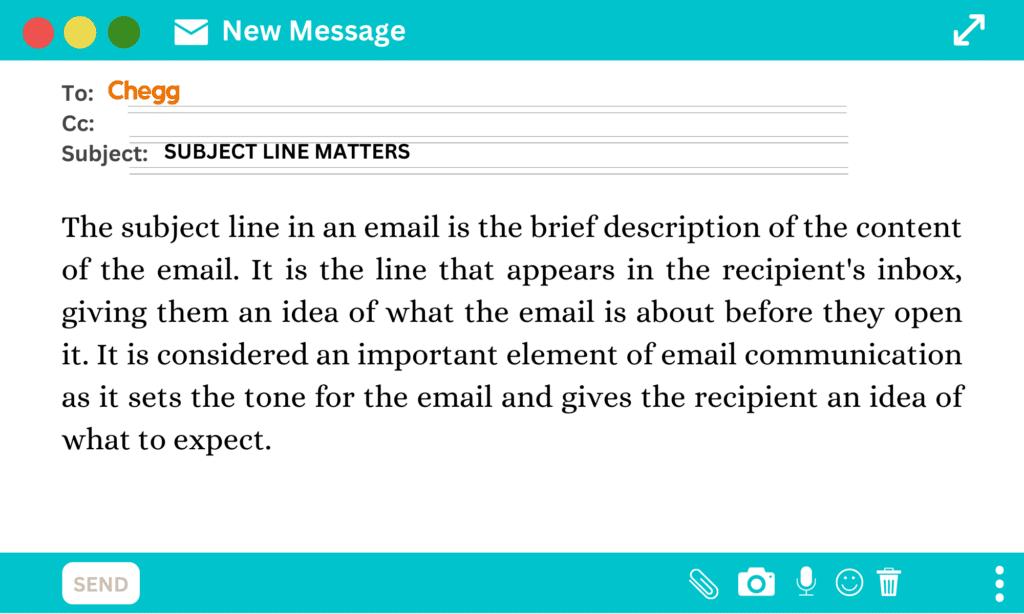
Here are 10 of the best examples of subject for sending resume to HR that you can use to grab attention:
A good resume mail subject line should include several key elements depending on your situation. Here’s what to consider:
This makes it clear who you are and what you’re applying for.
Example: Sarah Jones – Application for Marketing Manager
This is a classic subject for sending resume format.
This shows you’ve read the posting and highlights relevant skills.
Example: 5+ Years in Data Analysis – John Doe Applying for Analyst Position
Perfect for those wondering how to send CV by email subject effectively.
This differentiates you from other applicants.
Example: Increased Sales by 20% – David Miller Applying for Sales Representative
Or: Creative Problem Solver for Innovation – Amy Chen with Diverse Skills
Including a referral builds trust and credibility.
Example: Recommended by [Referral Name]: [Your Name] for [Job Title]
Ideal for a subject for sending resume to HR when referred internally.
Shows attentiveness and understanding of the role.
Example: Responding to "Content Creator Wanted": [Your Name] with Engaging Portfolio
Confused about what to write in an email when sending resume to the recruiter? Read about the best practices to send your resume to HR.
These are sample subject for sending CV to HR as an individual applicant:
These are sample subject lines for students, fresh graduates, and individuals who meet the educational qualifications:
These formats are ideal for those seeking subject sample ideas for entry-level roles.
Use these formats when applying through a referral:
These are strong subject for sending resume to HR formats that leverage internal recommendations.
A recommendation by some senior employee of a company is something that recruiters never miss.
For Example: Job Application: Recommended by Mr Arjun Singh, Green Crafts Technologies CEO for Software Developer
Highlight your achievements or experience:
These formats are ideal for professionals wondering how to send CV by email subject with impact.
Use these formats when responding to job listings or advertisements:
These are effective mail subject to send resume formats that help recruiters sort applications efficiently.

Recruiters receive hundreds of resumes and emails every day. To get their attention, it’s essential to ensure that the subject for sending resume is written properly. Whether you’re wondering how to send CV by email subject or looking for a subject sample, this section explains why it matters. There are certain resume tips or subject for sending resume to HR is important-
Your resume is your virtual first impression. A compelling subject line for job application can entice the recruiter to open your email, download your resume, and potentially shortlist you for an interview. You can include your experience, skills, or designation in a strategic way to grab attention. This is especially important when considering what to write in an email when sending a resume.
Sending a resume without a proper email subject for job application may result in your email being overlooked. A well-written subject for sending resume to HR distinguishes your application and adds a professional touch. It signals that your email is a formal job application.
A clear subject for sending resume helps the recruiter understand the purpose of your email instantly. It communicates that you’re applying for a specific position and possess relevant skills. This clarity is crucial when deciding what to write in an email when sending a resume.
A professional mail subject to send resume helps you stand out from other candidates who may have used generic or poorly formatted subject lines. A strong subject line increases the chances of your resume being read and considered
Here are common scenarios where you may need to email your resume:
In all these cases, using a clear and relevant subject line for sending resume is essential.
When emailing your job application to HR, professionalism is key. Follow these steps to write an effective subject for job application:
Before sending your resume, read the job description thoroughly. Employers often specify what to include in the subject for sending resume, such as job title, skills, or experience. Including these details in your email improves your chances of selection.
Always mention your name in the subject line. Also, include relevant keywords from the job description. These may include soft skills like “teamwork” or “multi-tasker,” and technical terms specific to the role. This helps tailor your subject for sending resume to HR effectively.
If someone referred you, include their name in the subject line. You can also add your designation (e.g., PhD, Doctor, Professor) to enhance credibility. This is a great way to personalize your mail subject to send CV.
Avoid lengthy subject lines. A long subject may get cut off in email previews and cause confusion. Keep your subject line for job application crisp and clear.
Always state the purpose of your email. Use a direct subject for sending resume that clearly indicates it’s a job application. This helps the recruiter identify your email quickly.
Before sending your resume, ensure you have a professional email ID. It should ideally include your name and birth date (optional), and avoid any inappropriate words or symbols. If needed, create a new email ID using platforms like Gmail. This complements your email subject for job application and overall presentation.
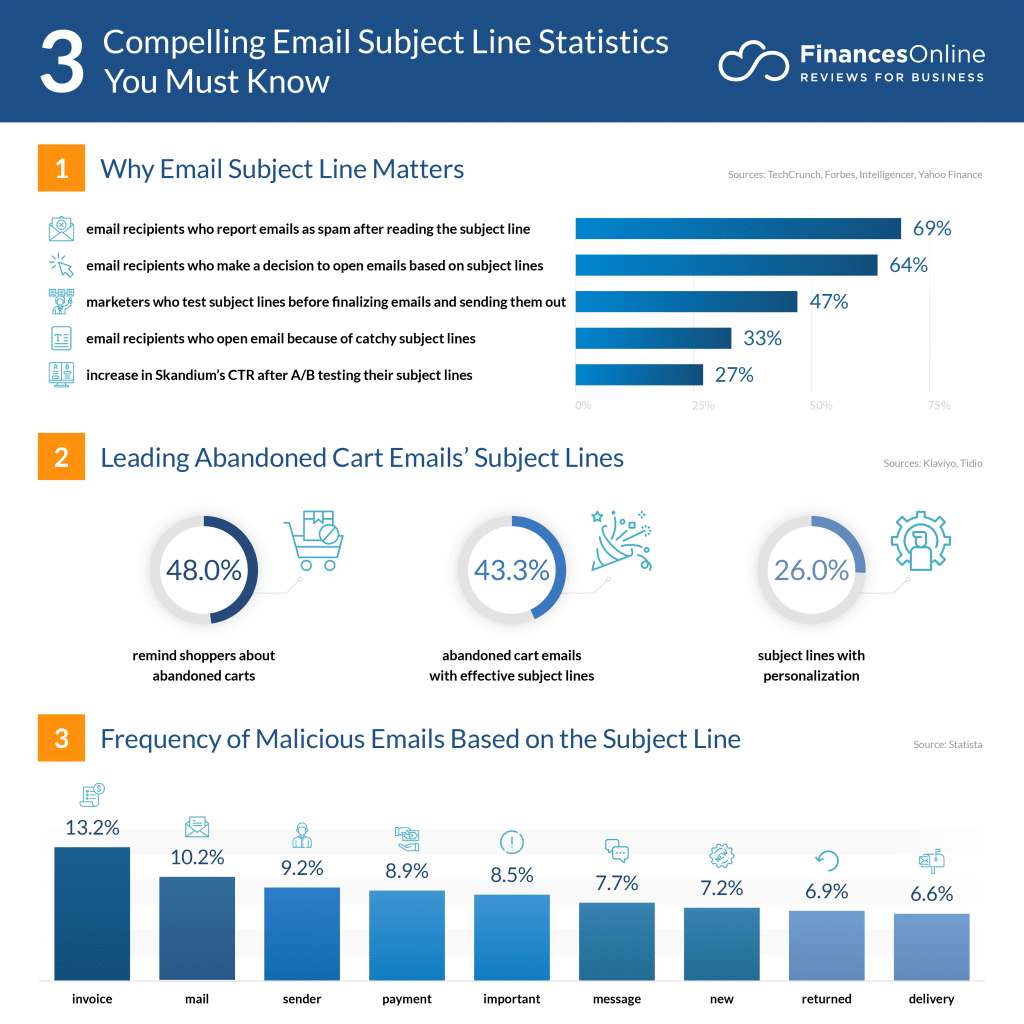
Source: Finances Online
Here are some tips for writing a proper subject for sending resume to HR.
Here are some best practices for writing a proper subject for sending resume to HR:
Your subject line should be short and to the point. Avoid irrelevant details or long sentences. A concise resume mail subject line is easier to read, especially on mobile devices.
Avoid informal language like “Hey!” or “Hello Buddy.” Your job application email subject should reflect professionalism, just like your resume format.
Mention the job title clearly in your subject for sending resume so the recruiter knows exactly what position you’re applying for.
Include your designation, qualifications, or experience in the subject line. This adds value and may increase your chances of getting shortlisted.
Always proofread your subject line and resume. Use tools like Grammarly to check for grammar, tone, and spelling errors. A polished subject line for sending resume shows attention to detail.
Avoid these common mistakes when writing your email subject for job application:
Unnecessary jargon can confuse recruiters and reduce interest in your application.
Keep your subject line under 50 characters. Long subject lines are hard to read and may get cut off.
Avoid writing every word in capital letters. It can appear immature and unprofessional. Use standard capitalization in your subject for sending resume.
Generic subject lines like “Job Application” are too vague. Personalize your mail subject to send resume by including specific details that reflect your skills and role.
It’s a fact, you can’t land a job without a resume. But to get your resume noticed and selected, you must first grab the attention of HR professionals. One of the most effective ways to do that is by writing a compelling subject for job application. This is where the subject line for sending resume plays a vital role.
Crafting a subject line is a skill. If you can highlight the key strengths of your resume and reflect your personality in just one line, you significantly increase your chances of getting hired. A well-written email subject for job application can make your resume stand out in a crowded inbox.
Before writing your subject line, it’s important to understand the context, whether you’re applying for an entry-level position, a referral-based opportunity, or a role that requires prior experience. This article has provided you with actionable insights and examples for all types of applications, including how to send CV by email subject and the best practices for writing a professional subject for sending resume to HR.
Use the formats and examples shared here to craft a strong and relevant mail subject to send resume for your next job application. A thoughtful subject line not only improves your chances of getting noticed but also sets the tone for a successful interaction with recruiters.
You can explore our complete guide on resumes and cover letters to make your job application truly stand out and leave a lasting impression.
Read More:
Send Impress Get Hired: Resume Subject Lines That Work
Format for Freshers with Samples
How to Make Your Cover Letter for Internship Stand Out
Subject: Application for [Job Title] – [Your Name]
I am sending my CV for your consideration.
For the subject line, you can write:
“Application for [Job Title] – [Your Name]”
For example:
“Application for Marketing Manager – Rohan Gupta”
Open your email client.
Click on ‘Compose’ or ‘New Email’.
In the ‘To’ field, enter the recipient’s email address.
In the ‘Subject’ line, write a clear subject, e.g., Application for [Job Title] – [Your Name].
Write a brief message in the body, introducing yourself and stating the purpose of your email.
Attach your resume file (preferably in PDF format).
Review your email for errors.
Click ‘Send’.
Send your resume as a PDF to ensure formatting stays intact across devices. PDFs are universally accessible, professional, and preserve your document’s appearance. If the employer specifically asks for a Word document or another format, follow their instructions.
Application for [Job Title] – [Your Name]
1. Standard and Clear:
Application for [Job Title] – [Your Name]
[Job Title] Application – [Your Name]
Resume for [Job Title] – [Your Name]
2. If there’s a Job ID:
Application for [Job Title], Job ID #[Number] – [Your Name]
3. If you were referred:
Referral from [Referrer’s Name] for [Job Title] – [Your Name]
Tips:
Always include the job title and your name.
Keep it concise and professional.
If applicable, include a job reference number to help HR quickly identify the position.