OpenAI Playground is a free tool to interact with GPT-3, GPT-3.5, and GPT-4 in a customizable sandbox environment.
It offers advanced features like temperature, max tokens, and role-based prompts—great for testing and learning.
Widely used by developers, students, marketers, and creators to generate content, code, and explore AI capabilities.
Table of Contents
Artificial Intelligence (AI) is revolutionizing technology by enabling machines to perform tasks that usually require human intelligence. OpenAI leads this field with powerful language models like OpenAI GPT, which power tools such as ChatGPT for natural, conversational AI.
The OpenAI Playground offers developers, marketers, and creators a hands-on platform to experiment with AI models, adjusting inputs to generate tailored outputs. This makes AI more accessible and versatile.
With the rise of ChatGPT Pro and expanded API accessvia an OpenAI API key, users can enjoy premium features and faster performance, driving AI adoption across industries. These tools help unlock creativity, automate tasks, and improve productivity, making AI an essential part of the future.
What is OpenAI’s Playground?
OpenAI Overview: OpenAI is an AI research and deployment company focused on ensuring artificial general intelligence (AGI) benefits all of humanity.
Mission: OpenAI aims to develop safe and powerful AI tools that are widely accessible and ethically aligned.
What is Playground? OpenAI’s Playground is a web-based tool that allows users to interact directly with OpenAI’s language models in a customizable, test-friendly environment.
Purpose: It acts like a sandbox where users can experiment with prompts, tweak model behavior, and explore how AI responds to various inputs.
Flexibility over Chatbots: Unlike standard chatbots like ChatGPT, Playground offers:
Full control over parameters (temperature, max tokens, etc.)
Model selection options
API-style prompt interaction
Ideal for developers, researchers, and power users
Available Models: Users can test different versions of OpenAI’s models:
GPT-3
GPT-3.5
GPT-4 (requires upgraded access)
User-Friendly Access: No coding required just enter a prompt and click “Submit” to see AI responses.
OpenAI Playground vs. ChatGPT: What’s the Difference?
ChatGPT Pro offers priority access, faster speed, GPT-4 model
Ideal For
Custom AI projects, detailed testing
Quick AI responses, creative writing, assistance
How to Use OpenAI Playground?
Step 1: Access the OpenAI Playground
Visit the Website: Open your preferred web browser and go to https://platform.openai.com/playground. The Playground is fully web-based, so no software installation is needed.
Compatibility: The Playground works smoothly on most modern browsers including Chrome, Firefox, Edge, and Safari.
Mobile Use: While the interface is primarily designed for desktops and laptops, it is accessible on tablets and smartphones but may have limited usability.
Why Use the Playground? The Playground is an interactive testing ground where you can experiment with OpenAI’s powerful models, adjusting settings and prompts without coding. It’s perfect for prototyping, learning prompt engineering, or just exploring AI capabilities.
Step 2: Create or Sign In to Your OpenAI Account
Sign Up: If you don’t have an OpenAI account, click on “Sign Up” and follow the registration process, which usually requires an email address, verification, and a password.
Sign In: Existing users can simply log in with their credentials.
Get API Access: Once logged in, you can find your OpenAI API key under your account settings. This key is crucial for developers who want to integrate OpenAI models into their own applications beyond the Playground.
Subscription Options: Free-tier accounts have limited usage quotas. Paid plans unlock higher usage limits and access to advanced models like GPT-4.
Step 3: Understand the Interface and Input Your Prompt
Input Box: The central area of the Playground is a large text box where you type your prompt or instructions for the AI. This prompt tells the AI what you want it to do for example, “Write a short story about a robot” or “Summarize this article.”
Prompt Tips:
Be clear and specific to get the best results.Provide context or examples if needed.You can write multiple sentences or paragraphs.
For conversational style, start with a role or instruction like “You are an expert teacher…”
Multi-turn Conversations: In Chat mode, you can input several messages with different roles (system, user, assistant) to simulate dialogue or guide the AI’s tone.
Step 4: Adjust Model Parameters for Customized Output
Located on the right-hand sidebar, these settings control how the AI generates text:
Temperature: Controls randomness and creativity.
Low (0.0-0.3): More precise, factual, and repetitive. Good for tasks needing accuracy (e.g., coding, math).
Medium (0.4-0.7): Balanced creativity and coherence. Great for general writing.
High (0.8-1.0): Creative, diverse, sometimes unpredictable. Useful for storytelling or brainstorming.
Max Tokens: Sets the maximum length of the AI’s response. A token is roughly ¾ of a word.
Short outputs: ~50-100 tokens (e.g., summaries).
Long outputs: up to model limits (usually 2048-4096 tokens).
Frequency Penalty: Penalizes repeating words or phrases.
Higher values reduce repetition.
Useful for diverse creative writing.
Presence Penalty: Encourages the AI to talk about new topics instead of repeating the same ideas.
Stop Sequences: Define tokens or sequences where the AI will stop generating text automatically (e.g., “###”, “END”). Useful to control output boundaries.
Best Practice: Experiment with these parameters for your specific task to find the best combination.
Step 5: Choose Between Presets or Custom Prompts
Presets: On the left sidebar, explore ready-made templates for common tasks like:
Summarization
Grammar correction
Translation
Code generation
Q&A Using presets helps beginners understand how prompts and parameters work.
Custom Prompts: You can write your own prompts from scratch, save them for reuse, or modify presets to fit your needs.
Saving Prompts: Save your prompts with clear names for future reference, making prompt management easier.
Step 6: Run Your Prompt and Review Output
Execute: Click the “Submit” button or press Ctrl + Enter (Cmd + Enter on Mac) to send your prompt to the AI model.
Response: The AI-generated output appears below your input box instantly or within a few seconds depending on complexity and server load.
Evaluate: Review the text carefully: is it relevant, accurate, and aligned with your goals?
Iterate: Modify your prompt or parameters if needed, and re-run to improve quality.
Step 7: Export Code Snippets for API Integration (For Developers)
View Code: Below the output, click the “View Code” button to see how your prompt translates into API calls.
Supported Languages:
Python
curl (command line)
Other SDKs may be available.
Why Export? This feature allows developers to quickly copy working prompt configurations into their applications, speeding up integration without guesswork.
Step 8: Compare Playground with ChatGPT
ChatGPT: Designed for simple, conversational AI interaction. No setup or parameter tweaking required. Great for everyday users and quick answers.
Playground: Provides fine-grained control over prompts, parameters, and outputs without coding. Best for developers, marketers, researchers, and power users.
Use Both: Start with ChatGPTfor quick tasks. Use Playground to experiment, prototype, and prepare prompts before integrating with your own apps.
Step 9: Manage Usage and Monitor Costs
API Quotas: If using Playground with API keys, keep an eye on your token consumption to avoid unexpected charges.
Billing Dashboard: OpenAI provides a billing dashboard showing usage statistics, costs, and limits.
Optimize Prompts: Write efficient prompts and set max tokens wisely to balance output quality and cost.
OpenAI Playground offers a wide range of customizable features that allow users to fine-tune how the AI responds to different prompts. Here are the most important features:
1. Model Selection
Choose from different language models:
GPT-3
GPT-3.5
GPT-4 (available to paid users)
Helps users test and compare responses across versions.
2. Prompt Customization
Enter custom prompts directly in the editor.
Option to use system-level instructions to guide model behavior (like a role or tone).
3. Temperature Setting
Controls the creativity or randomness of the output.
Low values (e.g., 0.2) = more focused, factual responses.
High values (e.g., 0.8) = more creative and diverse responses.
4. Max Tokens
Sets the maximum length of the output (in tokens).
Helps prevent overly long or cut-off responses.
5. Top-p (Nucleus Sampling)
Another way to control response randomness.
Picks from the most likely following words until the probability limit (p) is met.
6. Frequency Penalty
Reduces the chance of the AI repeating the same words or phrases.
7. Presence Penalty
Encourages the AI to introduce new topics in the response.
8. Stop Sequences
Defines text patterns that tell the model to stop generating further output.
Useful to end replies at specific points or avoid long monologues.
9. Save & Share Prompts
Save your prompts and settings for future use.
Share prompt configurations with teammates or classmates for collaborative learning or testing.
10. Best of & Echo (Advanced)
Best of: Generates multiple completions and picks the best one (in API).
Echo: Repeats the input prompt in the output (useful for debugging).
Feature
Function
Model Selection
Choose GPT version (3, 3.5, 4)
Temperature
Adjust creativity level
Max Tokens
Limit response length
Top-p
Control randomness with probability cutoff
Frequency Penalty
Prevent repetitive output
Presence Penalty
Encourage topic variety
Stop Sequences
Stop output at specific triggers
Save/Share Prompts
Store and share test cases
Use Cases of OpenAI Playground Across Industries
Marketing
Generate engaging blog posts, social media content, and ad copy quickly.
Create SEO-friendly content ideas and keyword suggestions.
Example: A marketer uses OpenAI GPT in Playground AI to draft multiple ad variants and test tone variations without coding.
Development
Generate code snippets, automate debugging, and write documentation.
Prototype AI-powered features before full API integration.
Example: Developers test prompts to generate Python scripts and debug errors interactively, exporting code for direct use via OpenAI API key.
Education
Summarize complex research papers or textbooks into easy-to-understand formats.
Develop interactive teaching aids and quiz questions.
Example: Educators use the Playground to create lesson summaries and personalized study guides tailored for different learning levels.
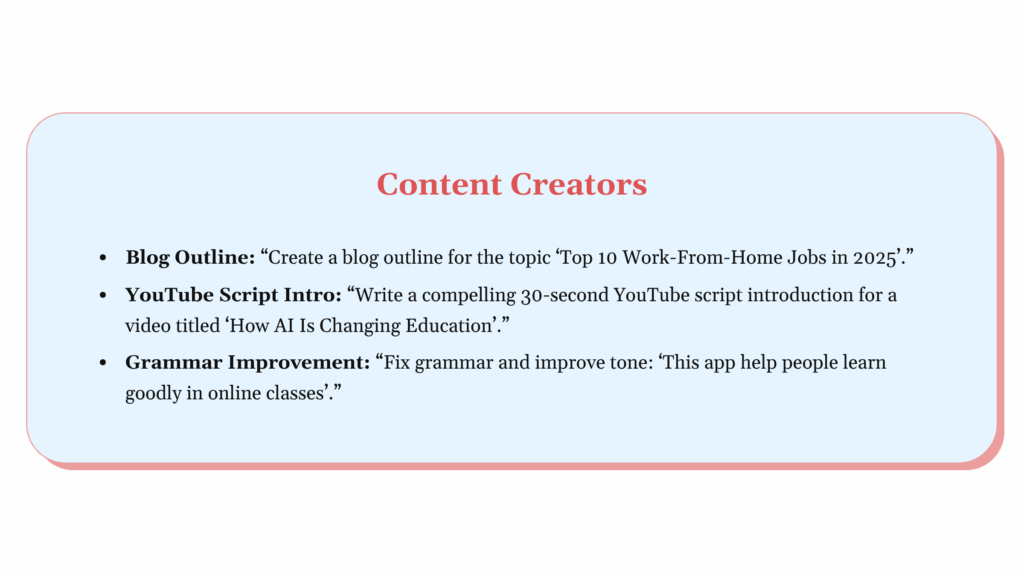
Content Creation
Write creative fiction, scripts, poetry, or long-form blog posts.
Overcome writer’s block by experimenting with different prompt styles.
Example: Writers draft multiple story outlines and character dialogues by adjusting temperature and token limits in the Playground.
Product Teams
Produce clear product descriptions, user manuals, and FAQs.
Automate customer support scripts and onboarding documentation.
Example: Product managers refine user manual drafts with specific tone and clarity settings using Playground AI.
Future Trends: What’s Next for OpenAI and AI Development?
Enhanced AI Capabilities: Future OpenAI models (beyond GPT-4) will feature improved reasoning, deeper contextual understanding, and more creative outputs.
Rise of Multi-Modal AI: Integration of text, images, audio, and video inputs will enable richer, more natural interactions.
Expanded API Customization: OpenAI will offer more tools for developers and businesses to tailor AI models to specific industries like healthcare, finance, and education.
Real-Time Collaboration Features: AI will assist teams dynamically during work, boosting productivity and creativity through seamless interaction.
Focus on Ethical AI and Safety: Continued investment in frameworks to ensure responsible AI usage, reduce bias, and prevent harmful outputs.
Growth of OpenAI Ecosystem: Tools like Playground AI and ChatGPT Pro will become more integrated into daily workflows, powering automation, content creation, coding, and customer service.
Increased Accessibility: AI solutions will become more user-friendly and widely available, benefiting creators, marketers, developers, and enterprises.
Overall Impact: OpenAI’s future developments will push AI’s boundaries while promoting a safer, more inclusive, and practical AI environment for global users.
Who Should Use OpenAI Playground?
Ideal User Groups
Creators: Writers, bloggers, and content creators can generate ideas, draft texts, and brainstorm creatively using OpenAI GPT models.
Marketers: Perfect for generating SEO content, ad copy, and marketing strategies quickly and efficiently.
Developers: A valuable tool for testing prompts, generating code snippets, debugging, and experimenting with AI-powered automation.
Students: Useful for summarizing research, learning new topics, and improving writing skills with AI assistance.
Key Benefits
Offers direct, flexible interaction with powerful AI models beyond basic chat interfaces.
No coding required to explore and test different prompts and parameters.
Seamlessly integrates with OpenAI API key access for developers looking to deploy AI solutions.
Supports experimenting with the latest GPT models including GPT-4 for enhanced accuracy.
Related Tools
ChatGPT provides a simple, chat-based AI interface for general use and quick support, perfect for those learning chatgpt how to use.
Whisper is OpenAI’s speech-to-text tool designed for accurate audio transcription.
Codex is an AI model focused on coding and programming tasks, assisting developers efficiently.
Conclusion
OpenAI Playground is a flexible platform designed for developers, creators, and marketers to explore powerful AI models like GPT-4. It provides advanced control over AI outputs without requiring coding skills, making it ideal for a wide range of tasks from content creation to coding support. Seamlessly integrated with the OpenAI API, it enables easy testing and prompt refinement before deployment. While ChatGPT offers a simple, user-friendly chat experience, the Playground is perfect for power users who want deeper customization and control. For those wondering about chatgpt how to use, understanding the differences between ChatGPT and OpenAI Playground helps unlock the full creative and practical potential of AI across various industries as the technology continues to advance.
Frequently Asked Questions (FAQ’s)
What’s the purpose of OpenAI Playground?
OpenAI Playground lets users test and experiment with AI models like GPT for tasks such as writing, coding, or summarizing. It’s ideal for exploring AI capabilities without needing to write code.
Is using the AI Playground safe?
Yes, OpenAI Playground is safe for general use. However, users should avoid sharing sensitive data, as inputs may be stored for research and safety improvements under OpenAI’s usage policies.
What exactly is the OpenAI API?
The OpenAI API gives developers access to advanced AI models like GPT-4 for integration into their apps or tools. It allows customized, scalable AI features through secure programmatic access.
Is my data secure when using the OpenAI API?
OpenAI implements strong data security practices, but inputs may be stored to improve model performance. Users concerned about privacy should review OpenAI’s data usage policies before integrating sensitive information.
How is OpenAI API key usage monitored?
Each OpenAI API key is tracked by usage metrics, including token counts and request types. This helps manage billing, monitor usage patterns, and enforce usage limits or abuse prevention.
Is OpenAI Playground free?
OpenAI’s Playground isn’t fully free. New users receive limited initial credits (~$18) to explore the tool. After that, you pay per token usage, just as with the API.
How does ChatGPT playground work?
The ChatGPT Playground lets users interact with OpenAI’s language models like GPT-3 or GPT-4 by entering custom prompts. Users can tweak settings like temperature, max tokens, and response style to generate tailored AI output.
Rohan is a passionate content creator with a keen interest in the latest trends, geopolitics, and the forces that shape our world. He enjoys researching and writing insightful articles on general knowledge, business, and career topics, with the goal of keeping his readers informed, empowered, and engaged.